


Table of Contents
- I – Overview of Activate and Renew Sophos Firewall License
- II – Guide to Activate Sophos Firewall License
- 1. Create a Sophos Central account
- 2. Claim the Sophos Firewall device
- 3. Apply License to the device
- 4. Synchronize License to the Firewall
- III – Notes when Renewing Sophos Firewall License
- 1. License synchronization mechanism when renewing
- 2. Case when the License Key is not received
This article guides how to activate and renew the Sophos Firewall license through Sophos Central.
Sophos Central is a centralized management platform that allows managing devices, licenses, and synchronizing license status from the cloud to the firewall.
1. Create a Sophos Central account
If you do not yet have a Sophos Central account, refer to:
https://thegioifirewall.com/sophos-central-huong-dan-tao-tai-khoan-sophos-central-trial/
Log in to Sophos Central using a Super Admin account.
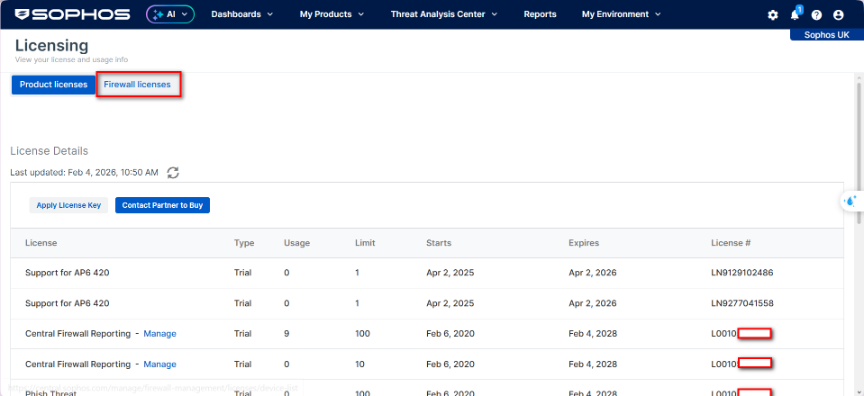
Go to Account → Licensing → Firewall licenses
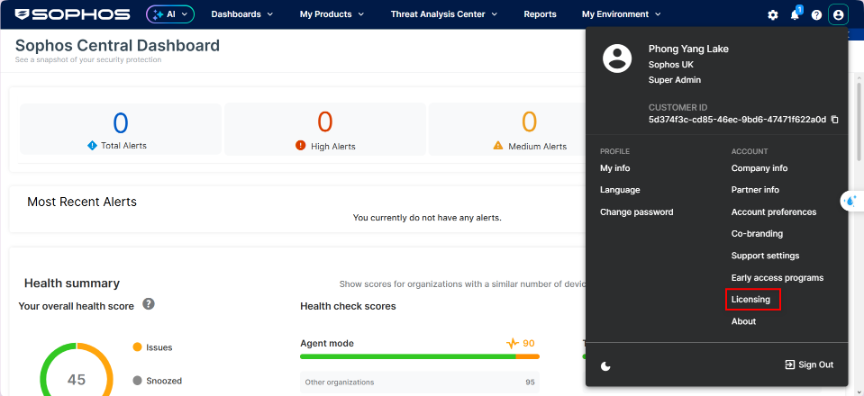
Select Firewall licenses
Select Claim firewall

Enter the device Serial Number
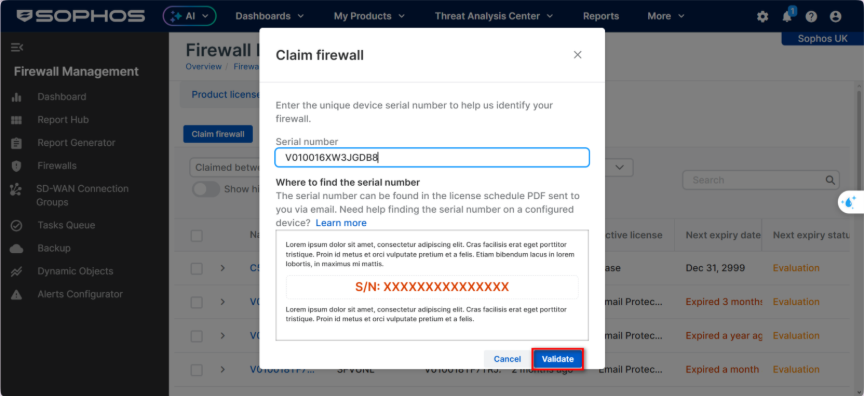
After claiming successfully, the device will appear in the management list.
Select the device → Apply subscriptions
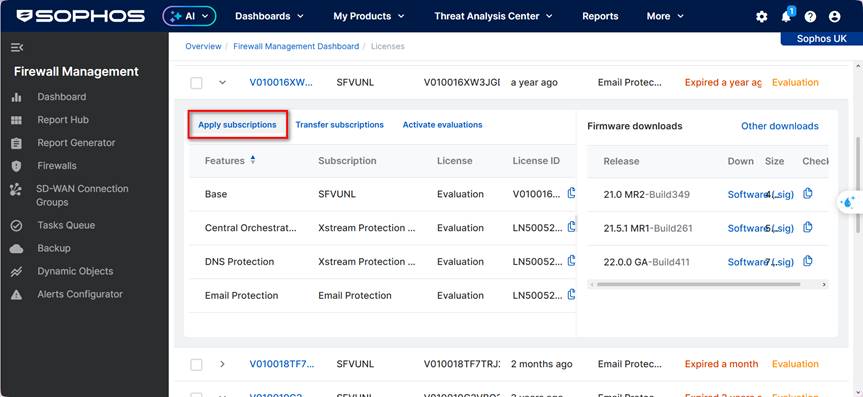
Enter the License Key
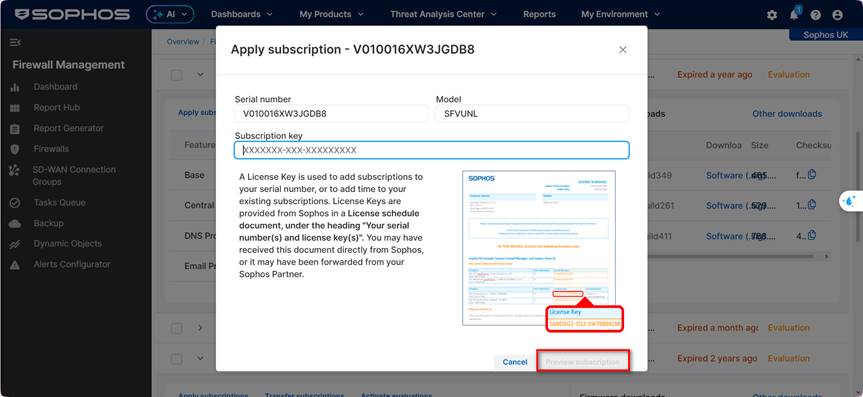
Preview subscription → Apply license
Go to Sophos Firewall → Administrator → Device access
Click Synchronize
For future license renewals, please note:
- License Number: only used for tracking and support, not used for activation.
- License Key: required to activate or renew the license.
1. License synchronization mechanism when renewing
In most cases, if the Sophos Firewall has been correctly linked to the Sophos Central account, the license after renewal will automatically synchronize to the device without requiring manual operations.
However, if the license does not automatically synchronize and still shows the Expired status, you can perform the following steps:
- Check the license in Sophos Central or Sophos Partner Portal to determine the corresponding License Key
- Manually apply the License Key to the Firewall device (according to the instructions in Section II.3)
2. Case when the License Key is not received
If the renewal email does not contain the License Key, it is recommended to:
- Check the license information again in the Sophos Portal
- Or contact Sophos Support / Partner to confirm the correct License Key before applying it.
If you want, I can also help you rewrite this translation to sound more natural for a blog post in English (keeping the meaning but making it read like native technical documentation).